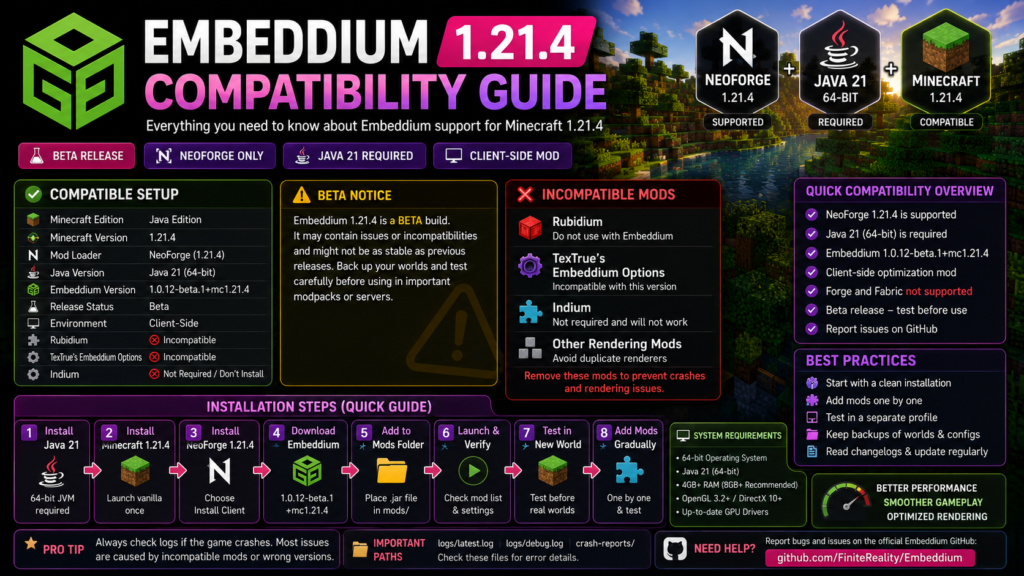
Embeddium 1.21.4 Compatibility Guide explains which mod loader, Java version, Embeddium file, addons, and Minecraft profile you should use. Compatibility must be checked carefully because the available Minecraft 1.21.4 build is classified as a beta rather than a normal stable release.
At the time of this review, the official Embeddium listings provide 1.0.12-beta.1+mc1.21.4 for Minecraft Java Edition 1.21.4. This particular file supports NeoForge, runs client-side, and warns that users should expect possible issues or incompatibilities.
Quick Compatibility Answer
Embeddium can run on Minecraft 1.21.4 when the following setup is used:
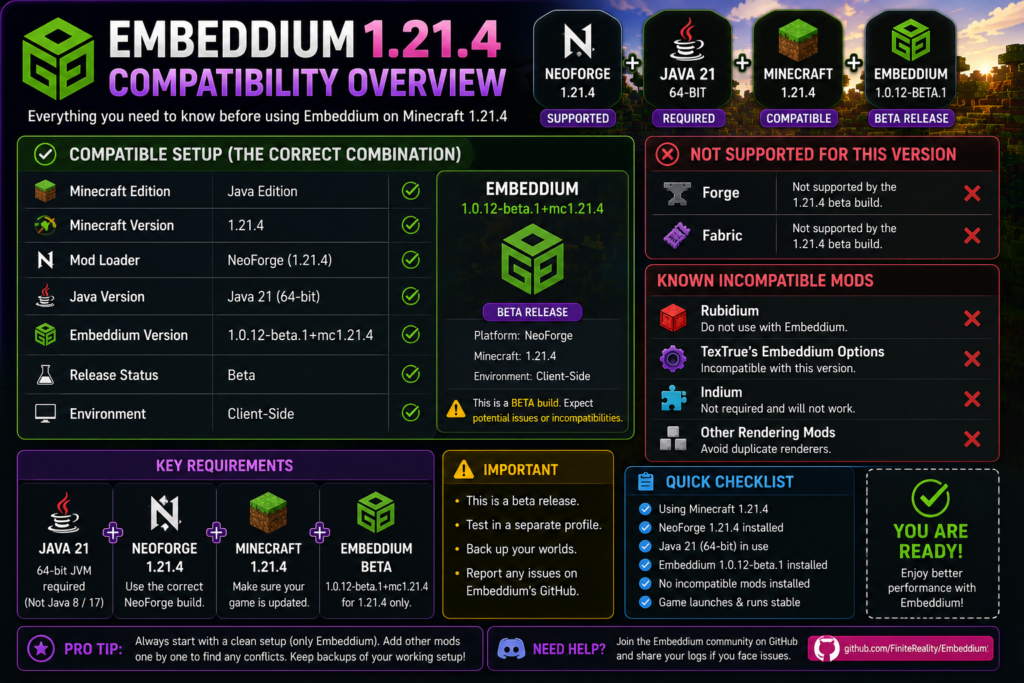
| Component | Compatible option |
|---|---|
| Minecraft edition | Java Edition |
| Minecraft version | 1.21.4 |
| Mod loader | NeoForge for Minecraft 1.21.4 |
| Java version | 64-bit Java 21 |
| Embeddium version | 1.0.12-beta.1+mc1.21.4 |
| Release status | Beta |
| Environment | Client-side |
| Forge support | Not provided by this build |
| Fabric support | Not provided by this build |
| Server installation | Normally unnecessary |
| Rubidium | Incompatible |
| TexTrue’s Embeddium Options | Incompatible |
| Indium | Not required and should not be installed |
The official version page identifies NeoForge as the only platform for this specific 1.21.4 file. NeoForge’s 1.21.4 documentation requires Java 21 and a 64-bit JVM.
Is Embeddium Compatible with Minecraft 1.21.4?
Yes, Embeddium has an official file built specifically for Minecraft 1.21.4:
1.0.12-beta.1+mc1.21.4However, it is important to understand that this is a beta build. Its official description warns that it may contain issues and may not provide the same stability as earlier established releases.
The current official files list shows this beta as the available Embeddium release for Minecraft 1.21.4, while Minecraft 1.21.1 has separate stable releases. Therefore, users prioritizing modpack stability should test 1.21.4 in an isolated profile before moving an important world or large modpack to it.
Embeddium 1.21.4 Loader Compatibility
NeoForge: Supported
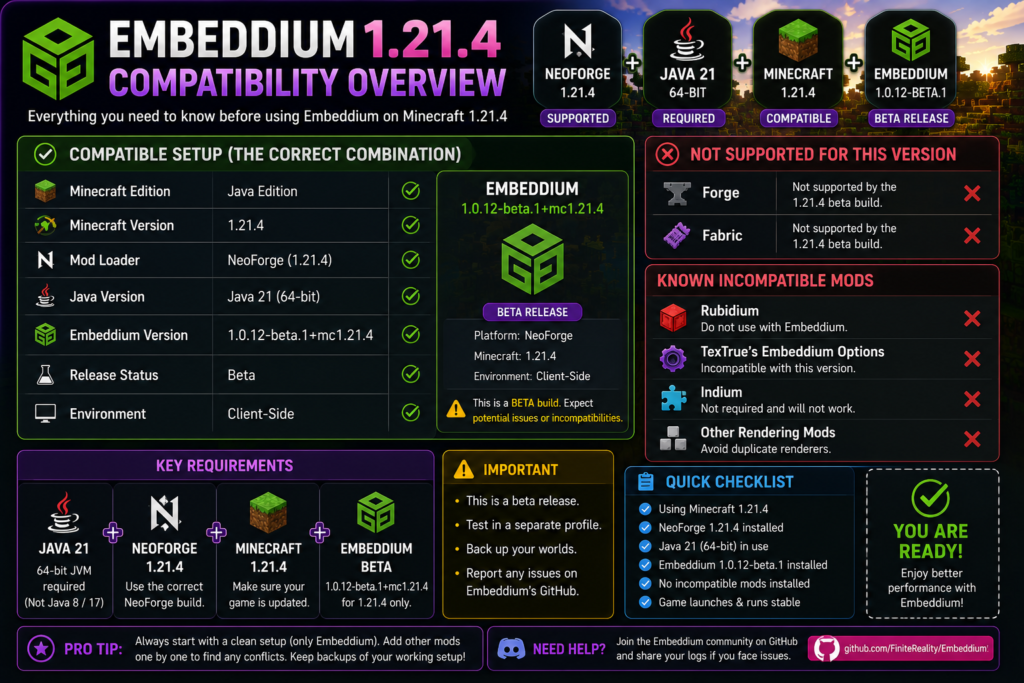
The 1.0.12-beta.1+mc1.21.4 file lists officially:
Platform: NeoForge
Minecraft: 1.21.4
Environment: Client-side
Use a NeoForge installation designed specifically for Minecraft 1.21.4. Do not place the file inside a Forge, Fabric, or another Minecraft-version profile.
Forge: Not Supported by This Build
Do not install the Minecraft 1.21.4 Embeddium file inside Forge.
The project’s general compatibility information states that Forge availability applies to Minecraft 1.20.1 and earlier, while newer versions use Fabric or NeoForge, depending on the release. The specific 1.21.4 file lists only NeoForge.
Incorrect setup:
Minecraft 1.21.4
Forge
Embeddium 1.0.12-beta.1
Correct setup:
Minecraft 1.21.4
NeoForge
Embeddium 1.0.12-beta.1
Fabric: Not Supported by This Particular File
The Embeddium project has offered Fabric files for some Minecraft releases, but the official 1.0.12-beta.1+mc1.21.4 version page lists NeoForge only.
Do not use a Fabric profile unless a separate official Embeddium file explicitly lists both Minecraft 1.21.4 and Fabric.
Java Requirements
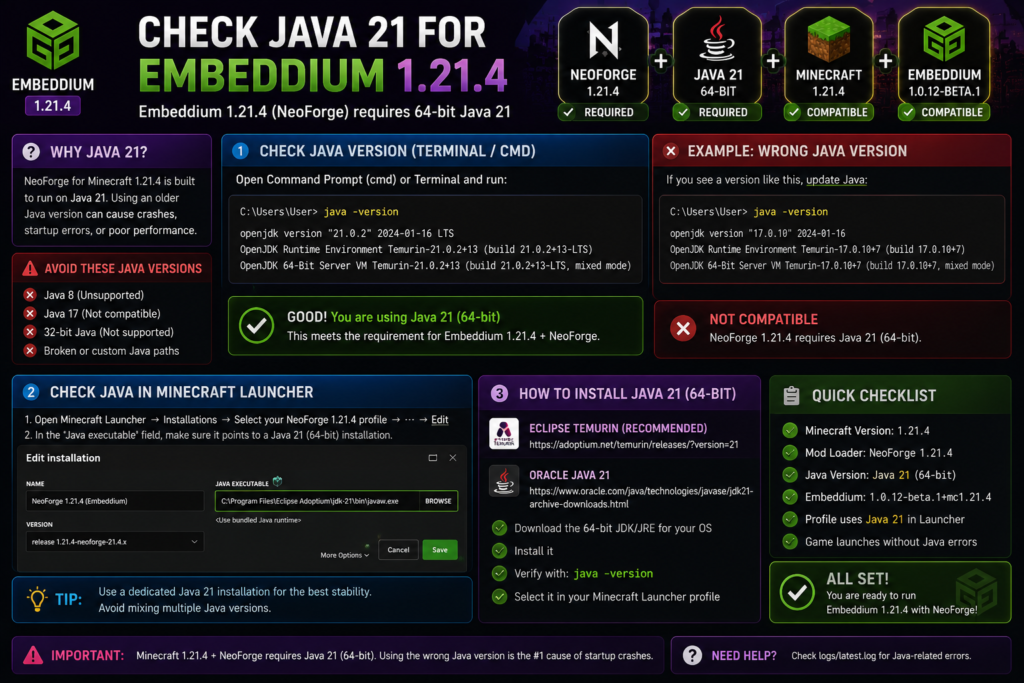
Minecraft 1.21.4 with NeoForge requires:
Java 21
64-bit JVM
NeoForge’s 1.21.4 documentation recommends a Java 21 development kit and specifically warns users to use a 64-bit JVM because Minecraft does not support a 32-bit JVM in this setup.
Check the Active Java Version
Open Command Prompt or Terminal and run:
java -versionA suitable installation should begin with something similar to:
openjdk version "21"The launcher may use a different Java executable from the one detected in Command Prompt. Check the Java executable setting inside the selected Minecraft launcher profile when the terminal shows Java 21 but Minecraft still reports a Java-related error.
Avoid These Java Setups
Do not use:
Java 8
Java 17
32-bit Java
A broken custom Java path
Java 17 is suitable for older combinations such as Minecraft 1.20.1, but the NeoForge 1.21.4 environment requires Java 21.
Embeddium 1.21.4 Beta Limitations
The Minecraft 1.21.4 Embeddium file should not be treated as equally stable as a regular production release.
Its official page directly states that:
- It is a beta.
- It likely has some issues.
- It may not provide the same stability as previous releases.
- Problems and incompatibilities should be reported through the Embeddium GitHub project.
What Beta Status Means
Beta status can result in:
- Startup crashes on certain systems
- Compatibility problems with rendering addons
- Visual glitches
- Incomplete support for some mods
- Configuration changes between releases
- Problems that do not appear in stable 1.21.1 builds
This does not mean that the file will crash for every user. It means the profile should be tested carefully before it is used with an important world or production modpack.
Recommended Precautions
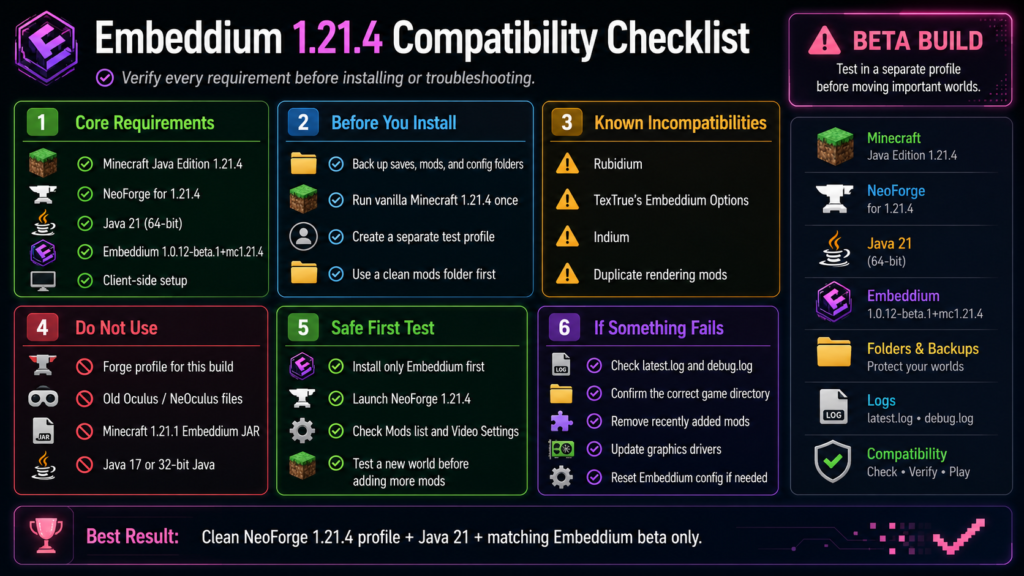
Before using the beta:
- Back up important worlds.
- Create a separate game directory.
- Install only NeoForge and Embeddium first.
- Confirm that Minecraft reaches the main menu.
- Test a new world before an existing world.
- Add other mods gradually.
- Keep the previous working profile unchanged.
- Save the original configuration files.
Known Incompatible Mods
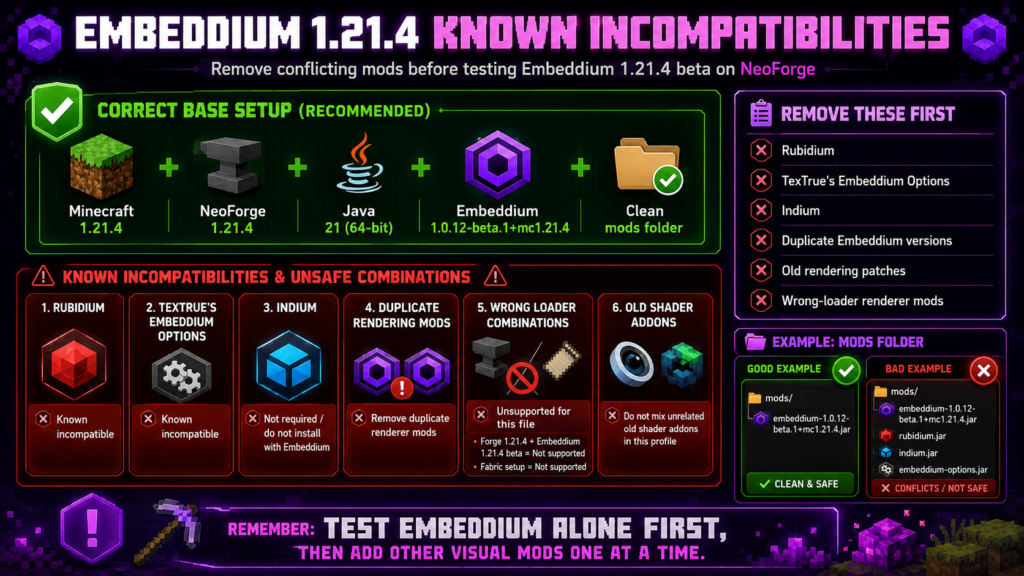
The official Embeddium 1.21.4 version page lists two known incompatibilities:
Rubidium
TexTrue’s Embeddium Options
Neither should be installed alongside Embeddium.
Rubidium
Rubidium and Embeddium modify overlapping parts of Minecraft’s rendering system.
Do not use:
Embeddium + RubidiumKeep only Embeddium inside the profile.
TexTrue’s Embeddium Options
TexTrue’s Embeddium Options is also officially listed as incompatible with the 1.21.4 Embeddium beta. Remove it before testing crashes, settings-menu problems, or startup failures.
Indium
Embeddium includes integrated Fabric Rendering API support. Its official project documentation states that Indium is no longer required and will not work with Embeddium.
Do not install:
Embeddium + IndiumMods That Require Careful Testing
The following mods are not automatically incompatible, but they interact closely with rendering and should be tested separately:
- Shader loaders
- Dynamic-lighting mods
- Entity-model extensions
- Entity-texture extensions
- Connected-texture mods
- Distant terrain renderers
- Physics and visual-effects mods
- Alternative video-settings menus
- Renderer compatibility patches
- Mods that change translucency or block rendering
Start with Embeddium alone. Add one rendering-related addon at a time and launch Minecraft after every addition.
Shader Compatibility on Minecraft 1.21.4
Do not install the Minecraft 1.20.1 Oculus file or a Minecraft 1.21.1 NeOculus file inside the Minecraft 1.21.4 profile.
The currently listed NeOculus releases support Minecraft 1.21.1, not 1.21.4.
Iris provides separate NeoForge releases for Minecraft 1.21.4, but those releases list Sodium as required content. That is a separate rendering stack from Embeddium. Do not combine Embeddium, Sodium, and Iris unless the exact project pages explicitly support that combination.
Safest Shader Approach
For an Embeddium 1.21.4 profile:
- Test without shaders.
- Do not install old Oculus files.
- Do not install NeOculus 1.21.1.
- Do not add Sodium beside Embeddium.
- Use only a shader solution explicitly supporting your exact renderer and Minecraft version.
- Keep the base Embeddium profile as a backup.
Server Compatibility
The official Embeddium 1.21.4 file is classified as client-side. It is intended to optimize the player’s local rendering environment rather than provide server-side gameplay features.
For an ordinary multiplayer server:
- Install Embeddium on the player’s client.
- Do not assume that it is required on the server.
- Confirm any modpack-specific instructions separately.
- Test joining the server without requiring other players to install it.
Embeddium cannot directly fix:
- Low server TPS
- High internet latency
- Server-side entity overload
- Delayed multiplayer actions
- Hosting performance problems
How to Install Embeddium on Minecraft 1.21.4
Step 1: Back Up Minecraft
Back up:
saves
mods
config
resourcepacks
shaderpacks
Keep the Minecraft 1.21.1 or older working profile unchanged.
Step 2: Install Java 21
Install a trusted 64-bit Java 21 distribution.
Verify it with:
java -versionNeoForge’s documentation recommends Java 21 and a 64-bit JVM for its Minecraft 1.21.4 environment.
Step 3: Run Vanilla Minecraft 1.21.4
Launch unmodified Minecraft Java Edition 1.21.4 once and close it after reaching the main menu.
This ensures that the launcher has downloaded the base Minecraft files.
Step 4: Install NeoForge for Minecraft 1.21.4
Download and install a NeoForge version designed for Minecraft 1.21.4.
Select:
Install clientDo not select a NeoForge installer for Minecraft 1.21.1, 1.21.5, or another release.
Step 5: Create a Separate Profile
Create a launcher profile named:
Minecraft 1.21.4 Embeddium TestUse a separate game directory, for example:
D:\Minecraft\Embeddium-1.21.4-TestLaunch the NeoForge profile once, then close it in the main menu.
Step 6: Download the Correct Embeddium File
Use:
1.0.12-beta.1+mc1.21.4Confirm that its page shows:
Minecraft 1.21.4
NeoForge
Client-side
Beta
These compatibility details are shown on the official release page.
Step 7: Add Embeddium to the Mods Folder
Place the original JAR inside:
Your-Profile/
└── mods/
    └── embeddium-1.0.12-beta.1+mc1.21.4.jar
Do not:
- Extract the JAR
- Rename it as ZIP
- Keep another Embeddium version
- Add Rubidium
- Add Indium
- Add a Forge-only renderer
- Add old Oculus or NeOculus files
Step 8: Launch and Verify
Launch the NeoForge 1.21.4 profile.
Check:
- Minecraft reaches the main menu.
- Embeddium appears in the Mods list.
- Video Settings opens correctly.
- A new world loads.
- Terrain and entities render normally.
- The game remains stable while moving between chunks.
Recommended Clean Test Setup
The first test should contain only:
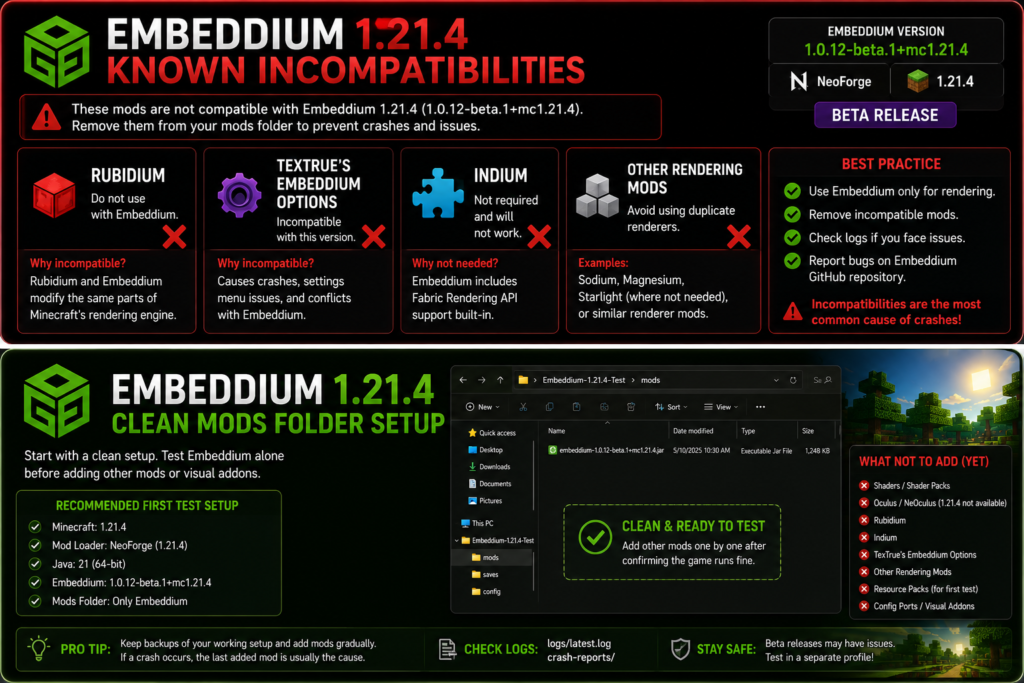
Minecraft 1.21.4
NeoForge 1.21.4
Java 21
Embeddium 1.0.12-beta.1
The mods folder should look similar to:
mods/
└── embeddium-1.0.12-beta.1+mc1.21.4.jar
Do not add shaders, resource packs, visual addons, compatibility patches, or other renderers during the first test.
Interpreting the Result
Minecraft launches successfully:
The base setup works. Add other mods slowly.
Minecraft crashes:
Check Java, NeoForge, Minecraft, Embeddium, graphics drivers, and logs.
Minecraft launches until another mod is added:
The recently added mod or its version is likely involved.
Updating from Minecraft 1.21.1
Do not place the stable Minecraft 1.21.1 Embeddium JAR into a Minecraft 1.21.4 profile.
The official listings provide separate files:
Minecraft 1.21.1 → separate stable releases
Minecraft 1.21.4 → 1.0.12-beta.1
Each file is built for its listed Minecraft version.
Safe Upgrade Method
- Copy the entire 1.21.1 profile.
- Create a new Minecraft 1.21.4 directory.
- Install matching NeoForge.
- Use Java 21.
- Install the 1.21.4 Embeddium beta.
- Test without other mods.
- Find Minecraft 1.21.4 versions of every remaining mod.
- Copy worlds only after the profile is stable.
Do not reuse the complete old mods folder without checking every file.
Common Compatibility Problems
Embeddium Does Not Appear
Check that:
- The profile uses NeoForge.
- Minecraft is exactly 1.21.4.
- The JAR is inside the active profile’s mods folder.
- The correct launcher profile is selected.
- Only one Embeddium file is installed.
Minecraft Shows Exit Code 1
Exit Code 1 is a general launcher failure.
Open:
logs/latest.log
logs/debug.log
crash-reports/
Search for:
Caused by:
Mixin apply failed
NoSuchMethodError
NoSuchFieldError
NoClassDefFoundError
incompatible
requires
duplicate
embeddium
rubidium
indium
Wrong Java Version
Confirm that the launcher uses Java 21, not merely the system terminal.
Check the selected installation’s Java executable path.
Forge Profile Is Selected
The Minecraft 1.21.4 beta supports NeoForge, not Forge.
Create or select the correct NeoForge profile.
Crash After Adding Another Mod
Remove the latest mod and test again.
For a large modpack, use the half-split method:
- Divide the additional mods into two groups.
- Add one group.
- Test Minecraft.
- Keep dividing the crashing group.
- Continue until the conflicting mod is identified.
Video Settings Crash
Remove:
- TexTrue’s Embeddium Options
- Alternative settings-menu addons
- Old configuration files
- Rendering compatibility patches
TexTrue’s Embeddium Options is officially listed as incompatible with this Embeddium release.
Visual Glitches
Test with:
- Default resource pack
- No shaders
- Updated graphics driver
- Embeddium alone
- Fresh Embeddium configuration
- Default video settings
Because the 1.21.4 release is a beta, a reproducible problem that occurs with Embeddium alone may need to be reported to the project’s issue tracker.
Frequently Asked Questions
Does Embeddium support Minecraft 1.21.4?
Yes. The official Embeddium listing provides 1.0.12-beta.1+mc1.21.4 for Minecraft Java Edition 1.21.4 on NeoForge.
Is Embeddium 1.21.4 stable?
No. The available file is classified as beta, and its official description warns that it may have issues or incompatibilities.
Which loader does Embeddium 1.21.4 use?
The official Minecraft 1.21.4 Embeddium file supports NeoForge. It does not list Forge or Fabric for that particular release.
Which Java version is required?
Use 64-bit Java 21. NeoForge’s Minecraft 1.21.4 documentation requires Java 21 and warns against a 32-bit JVM.
Can I use Embeddium 1.21.4 with Forge?
No. The available 1.21.4 file lists NeoForge only. Embeddium’s Forge availability applies to older supported Minecraft versions.
Can I use Rubidium with Embeddium?
No. Rubidium is listed as a known incompatibility for the Embeddium 1.21.4 beta.
Do I need Indium?
No. Embeddium includes Fabric Rendering API support, and the project states that Indium is not required and will not work with Embeddium.
Can I use Oculus on Minecraft 1.21.4?
Do not install the Minecraft 1.20.1 Oculus file. Current NeOculus listings provide Minecraft 1.21.1 files rather than 1.21.4 files. Use only shader software explicitly supporting your exact Minecraft, loader, and renderer combination.
Can Embeddium be installed on a server?
The 1.21.4 file is classified as client-side, so it is normally installed locally rather than being required on an ordinary server.
Why does the 1.21.1 file not work on 1.21.4?
Minecraft mods are built against specific game and loader versions. The official file pages provide separate Embeddium builds for Minecraft 1.21.1 and 1.21.4.
Should I move an important world to the beta?
Keep a complete backup and test the beta inside a separate profile first. Do not remove your last stable installation until the new setup has been tested with the complete mod list.
Where should Embeddium problems be reported?
Embeddium problems should be reported through the project’s own issue tracker rather than Sodium or CaffeineMC support channels.
Conclusion
Embeddium 1.21.4 Compatibility Guide requirements are straightforward: use Minecraft Java Edition 1.21.4, a matching NeoForge installation, 64-bit Java 21, and Embeddium 1.0.12-beta.1+mc1.21.4.
Remember that the available release is a beta. Do not use Forge, Rubidium, Indium, TexTrue’s Embeddium Options, old Oculus files, or Minecraft 1.21.1 mods inside the profile. Begin with a clean Embeddium-only installation and restore other mods gradually after the base setup works.